Controls · 12 min read
SCADA without the headache: modern remote monitoring for water systems.
What modern remote monitoring should actually look like for water and wastewater — without the vendor lock-in, the alarm fatigue, or the six-figure consulting bill.
SCADA in the water industry has a reputation it mostly earned. Bespoke installations, proprietary protocols, eye-watering license fees, dashboards designed by someone who has never run a plant, and alarm storms that train operators to ignore the system. None of that has to be the case anymore, but a lot of utilities are still living with it because the system that's in place is also the only one anyone on staff knows how to operate.
The good news: the gap between what modern SCADA can do and what most utilities are running is large enough that even a modest project pays back fast. The tools have gotten dramatically better — open protocols are now the default, cellular bandwidth and reliability are sufficient for nearly any pump station, and visualization platforms that used to cost six figures now exist as polished commercial products at a fraction of the price.
This article is a field guide to what a sensible modern SCADA architecture looks like for a small-to-medium water or wastewater utility, what to avoid, and how to scope a project so it actually finishes.
Pick open protocols. Always.
The most consequential decision in any SCADA project is the communication protocol between field devices and the central system. There are two safe choices for water and wastewater: Modbus TCP and DNP3. Both are open standards, supported by every major PLC and RTU vendor, and well-understood by every integrator worth hiring.
Modbus TCP is simple, widely supported, and well-suited to small stations with a handful of points. DNP3 is more complex but adds time-stamped events, unsolicited reporting, and integrity polling — features that matter on larger systems with hundreds of points or on links where bandwidth is constrained.
What to avoid: any pitch that centers on a proprietary protocol or a closed device family. The marketing always says 'tightly integrated' and 'optimized.' What it actually means is that your next system upgrade will be a forklift replacement because the only integrator who can touch the system is the one who installed it. We've seen utilities locked into nine-figure replacement timelines because their original SCADA was built on a protocol that lasted ten years and then died with the vendor.
Cellular vs licensed radio.
Twenty years ago the answer was licensed 900 MHz radio. Today, cellular wins for most utilities on most stations. The math is roughly: $20 to $40 per station per month for cellular data versus a one-time radio infrastructure cost of $30,000 to $100,000 per repeater site plus the FCC license maintenance.
Licensed radio still wins where coverage is genuinely poor, where security policy forbids public-carrier links, or where a single utility already owns a radio backbone and the marginal cost of one more site is near zero. For everyone else, modern industrial cellular gateways with dual-carrier failover are reliable enough for primary use and cheap enough to deploy widely.
Two practical notes. First, always deploy with dual-carrier or dual-SIM gateways. Single-carrier installations fail every time the local cell tower has a bad day, which is more often than you'd guess. Second, build the alarming so the central system knows when a remote has dropped offline. A SCADA system that silently stops hearing from a lift station is worse than no SCADA at all, because operators will assume the station is fine.
Design alarms for action, not data.
The single largest avoidable cost in most SCADA systems is alarm fatigue. A system that generates 400 alarms a day teaches operators that alarms are background noise. By the time the actual emergency hits, nobody is looking.
Good alarm design starts with a simple test: every alarm needs an associated operator action. If there's no action — just an observation — it isn't an alarm, it's a data point, and it belongs in a trend, not a popup.
Tier alarms by severity. Critical alarms (high-high level, station offline, sustained low suction pressure) ring phones and require acknowledgement. Standard alarms (single-pump fault, intermittent communications) appear on the operator dashboard with a clear color code. Informational events (pump start, pump stop, level setpoint reached) go to the historian, not the alarm queue.
Add rate-of-change and persistence filters. An alarm that fires every time a noisy sensor blips is worse than no alarm at all. Most modern HMIs let you require a condition to persist for N seconds before raising — use it.
Visualization: the dashboard operators actually want.
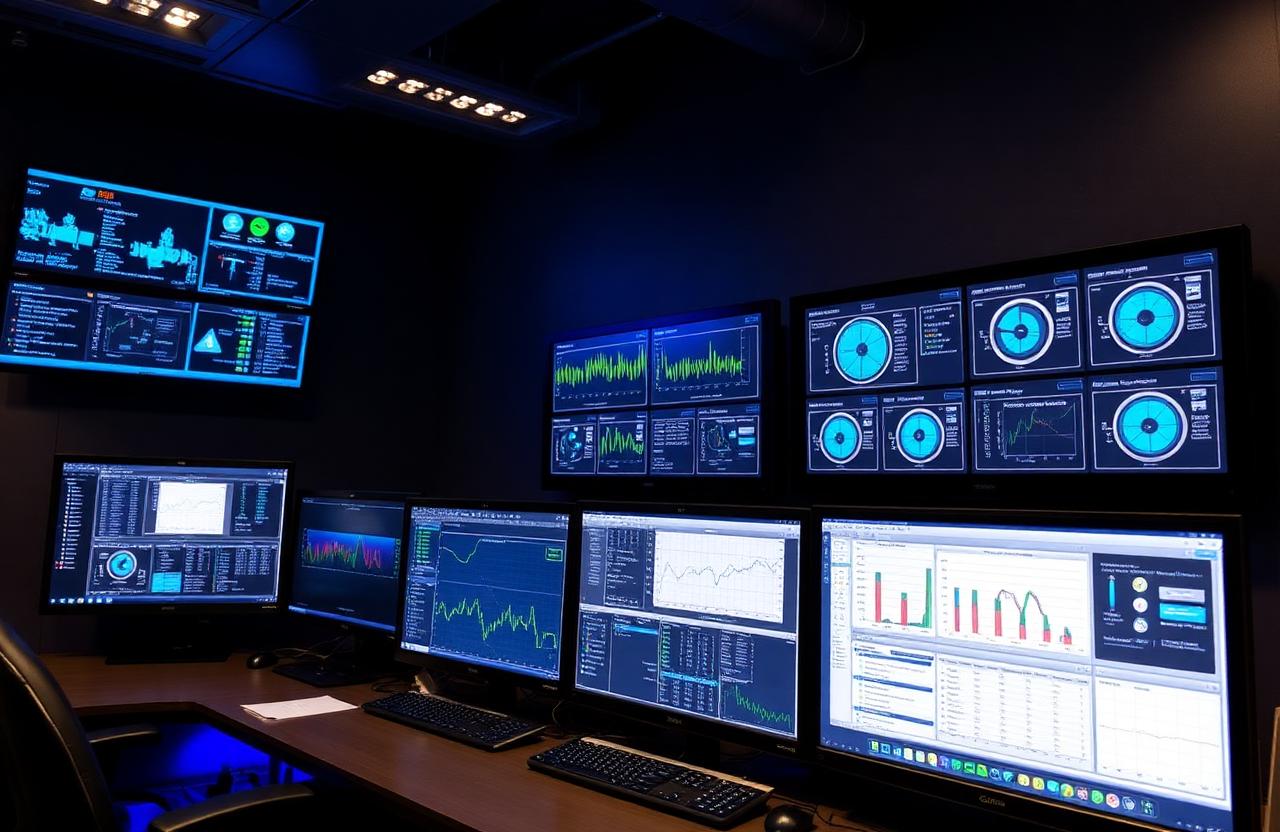
The right dashboard makes the system's current state obvious in three seconds. The wrong one is a wall of digits, gauges, and animated graphics that look impressive in a demo and overwhelming on the night shift.
Build the main dashboard around the operator's mental model of the system, not the engineer's. For a wastewater collection system, that usually means a geographic map with each lift station as a status icon, color-coded by health, with click-through to the station detail. For a water treatment plant, it usually means a process P&ID with live values overlaid at each instrument.
Every station detail page should show, at a glance: pump status and run hours, wet-well or tank level with a trend strip behind it, current alarms, last 24 hours of significant events, and one-click access to the historian for deeper review. Anything more is decoration.
Test the dashboard with the operators who will actually use it before you sign off. Watch them try to answer the questions they'll ask at 3 a.m. — 'is the station running, is it making progress, is anything alarmed' — and revise until those answers take three seconds.
Cybersecurity isn't optional anymore.
Water utilities are now squarely in the cyber threat landscape. The EPA, CISA, and state primacy agencies have all issued guidance over the last few years, and incident response data from the last 24 months shows opportunistic ransomware operators specifically targeting small utilities with weak remote access.
The basics are not hard. Put SCADA on its own network, isolated from business IT and from the internet at large. Where remote access is required, route it through a hardened jump host with multi-factor authentication, not through port-forwarded VNC on a residential modem. Patch your HMI servers and PLCs on a schedule. Replace default passwords on every device. Maintain an offline backup of HMI configurations and PLC programs.
If that sounds like more than your in-house staff can sustain, contract a managed SCADA services provider. The cost is meaningful, but it's a fraction of the cost of a ransomware event that takes your system offline for a week and forces a manual operations posture across every plant and station.
Scope the project to finish.
Large SCADA projects fail more often than they succeed. The pattern is consistent: scope creeps, integration drags, the original sponsor leaves, and three years in everyone is exhausted and the system is still half-deployed.
Scope to finish. Phase one is one site, end-to-end, on the architecture you'll use for the rest of the system. Get it commissioned, get operators trained, get a full month of operational data, then phase the rest of the system in groups of five to ten sites at a time. Each phase should be biteable in a quarter and shippable on its own.
Write the spec around outcomes, not products. 'The system shall report wet-well level at one-minute intervals over an open protocol with dual-carrier cellular failover' is a spec that survives technology changes. 'The system shall use [specific vendor] [specific product]' is a spec that locks you into a single supplier and a single integrator.
What good SCADA actually looks like.
When the architecture is right, the operator's experience is uneventful in the best way. The dashboard is quiet most of the time. When something does go wrong, the alarm is specific, actionable, and tied to a clear runbook. The historian holds years of trend data that engineering uses to optimize the system. And when a vendor's contract ends or a product line is discontinued, the system keeps running because nothing depended on a single closed product.
Most utilities can get from where they are to that picture in 18 to 24 months, in phased steps that each pay back on their own. The hard part isn't the technology. It's the discipline to scope phase one tightly enough to finish, and to design alarms operators trust enough to act on.